Start from approved dataBuild from governed sources rather than an unrestricted query surface.
Build the report once. Put the right information on repeat.
VFlowPro gives authorised teams a visual way to connect approved data, choose the fields that matter and turn the result into a reusable report. Preview and export it when needed, or schedule a secure delivery rhythm for the people who have consented to receive it.
Explore the report workflowVisual relationship mapCSV & XLSXScheduled deliveryRun history
Design with context
Turn approved data into a report your team can reuse.
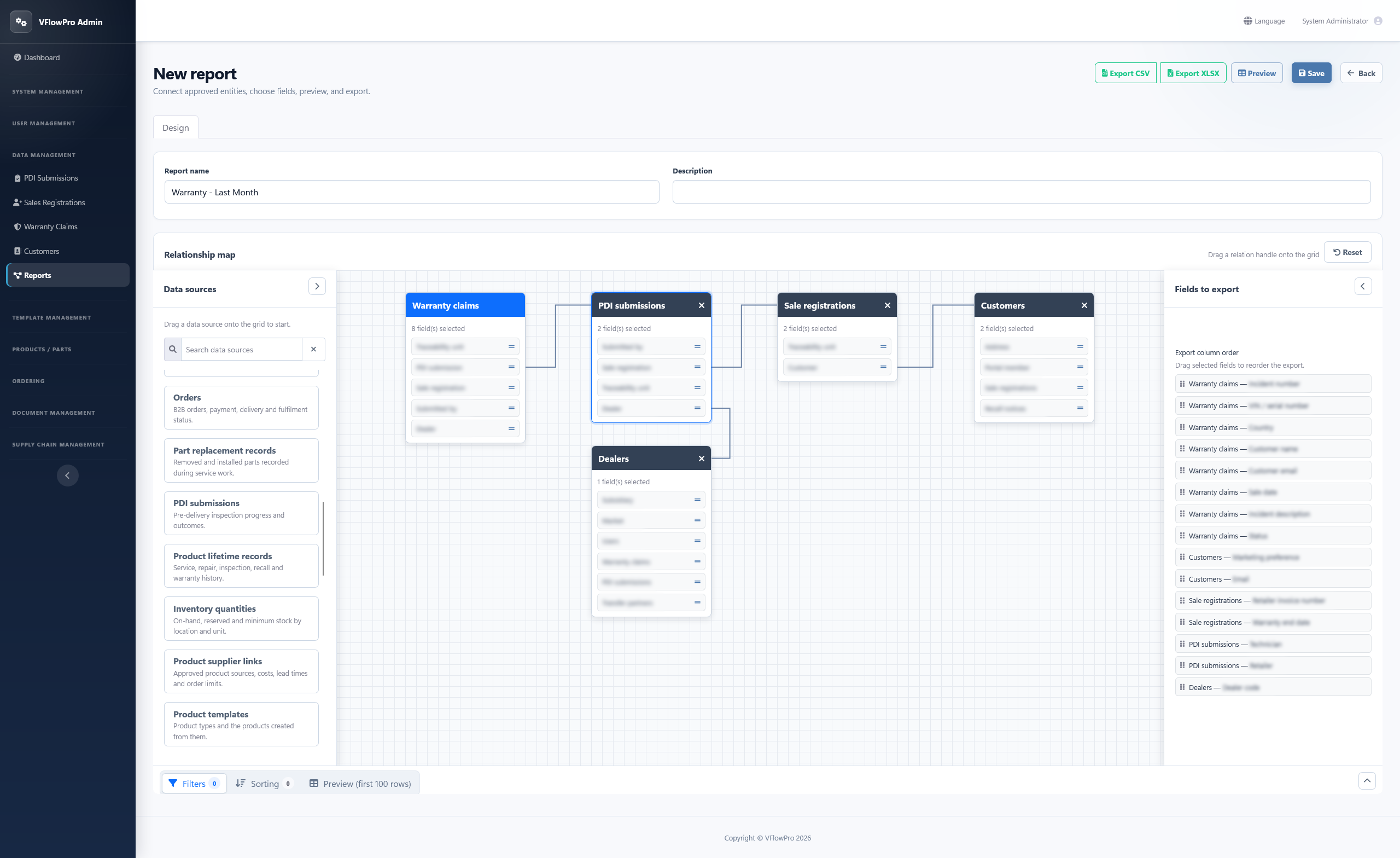
Start with an approved data source, connect the relationships that matter and choose only the fields your audience needs.
VFlowPro keeps the report definition reusable, while filters, sorting and column order stay clear before anything is exported.
Connect related recordsVisually link approved relationships to bring together the context your report needs.
Choose and order fieldsSelect exact export fields and drag them into the right column order.
Filter, sort and previewPreview the first 100 rows before export so the result can be checked early.
One visual workspace
See the relationships, fields and output rules together.
The editor keeps the data map in the centre, selected fields beside it and output controls within reach.
Deliver with control
From one-off export to a dependable reporting rhythm.
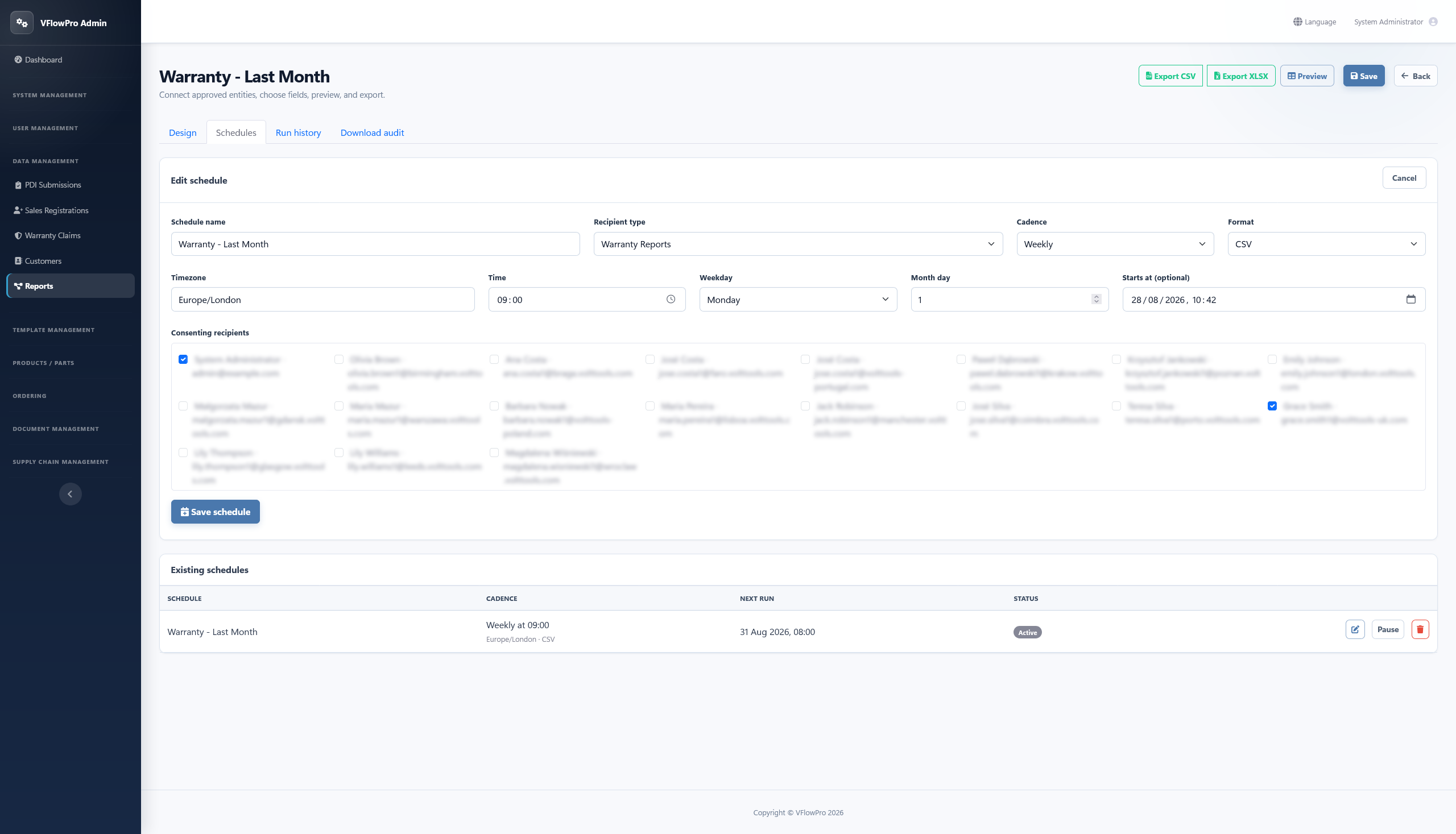
Run a report when the question arrives, or set a daily, weekly or monthly schedule with its own time, timezone, format and consenting recipients. Every run remains visible, and download activity stays available for review.
- Run nowGenerate CSV or XLSX directly from an active report.
- Schedule in local timeChoose daily, weekly or monthly cadence with a timezone and start date.
- Keep delivery reviewableSee run status, row count and recorded download activity.
A repeatable route
A clear path from question to delivery.
Shape the report once, check the result and keep the delivery route visible.
Connect
Choose approved data sources and relationships.
Shape
Select fields, order columns, filter and sort.
Check
Preview the first 100 rows, then export CSV or XLSX.
Deliver
Run now or schedule consent-aware delivery.